by Jason on Oct 27, 2026, 9:13:49 PM
Linux support has been at the top of your wish list (and ours) for a very long time. That’s why we’re excited to announce our first stable release of Sync WebDAV for Linux.
Sync WebDAV gives you the freedom to use Linux your way, bringing your Sync folder and Vault into the tools you know and love. Browse files in Nautilus or Dolphin, mount Sync as a drive with Rclone, or connect your preferred backup and NAS software. All fully protected with end-to-end encryption.
Your choice of apps, your scripts, your workflow. Now with Sync.
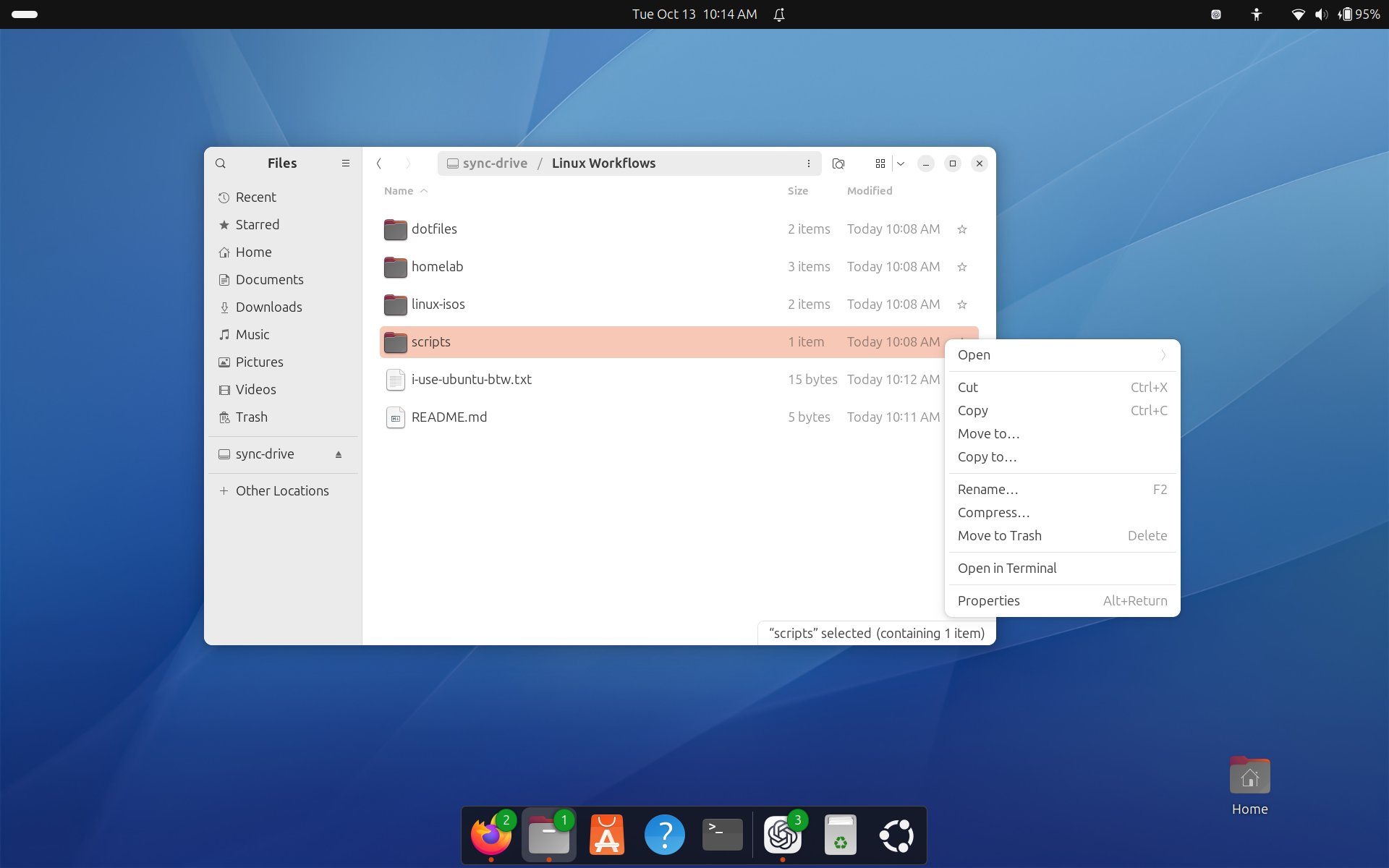
Your Sync files, right inside your Linux desktop. Pictured: Sync folder mounted as a network drive in Nautilus on Ubuntu.
What is it?
Sync WebDAV is a local server that runs in the background on your Linux machine, connecting your Sync folder or Vault to WebDAV-compatible Linux file managers, backup utilities, and other apps.
Three ways to get started
Whether you want to configure your own setup, get a mounted drive quickly, or connect your NAS, we’ve got you covered.
-
Install the WebDAV server and choose your own clients. Install Sync WebDAV on your Linux device, then connect supported clients such as Rclone, Nautilus, or Dolphin to access your files. Choose your tools and workflows.
-
Get a mounted drive with our quick installer. Set up Sync WebDAV, an Rclone mount, and all required dependencies in one easy step. The installer mounts your Sync folder as a network drive and configures systemd for automatic startup. You can still connect other clients whenever you need them.
-
Run Sync WebDAV on your NAS with Docker. Use our Docker image to simplify setup on a compatible NAS. Once the container is running, connect your NAS’s backup and sync apps to Sync through the WebDAV server.
Follow our WebDAV Guide for Linux to get started right now.
Connect Sync to your everyday tools
Our initial release puts the focus on third-party app integrations, so you can choose how Sync fits into your workflows.
-
Browse files from your Linux desktop. Connect through Nautilus on GNOME or Dolphin on KDE Plasma to browse and manage your Sync files alongside your other locations. Open a document, upload a project folder, or organize your files with familiar tools.
-
Mount Sync as a drive. Use Rclone or davfs2 to access your Sync folder or Vault through a folder on your Linux filesystem. This enables a normal file path, making your cloud files, archives, and backups easier to work with the apps you already use.
-
Put routine backups on a schedule. Use Rclone to copy local folders to Sync or download cloud files to your Linux machine. Schedule these tasks to maintain an off-site copy of your work, collect files from a server, or automate transfers. Spend less time moving files manually.
-
Connect your NAS. Use tools such as Synology Hyper Backup, QNAP Hybrid Backup Sync, and UGREEN Sync & Backup with Sync directly. Create an off-site cloud backup of your NAS, or keep a local copy of your Sync files on your NAS for added protection against data loss.
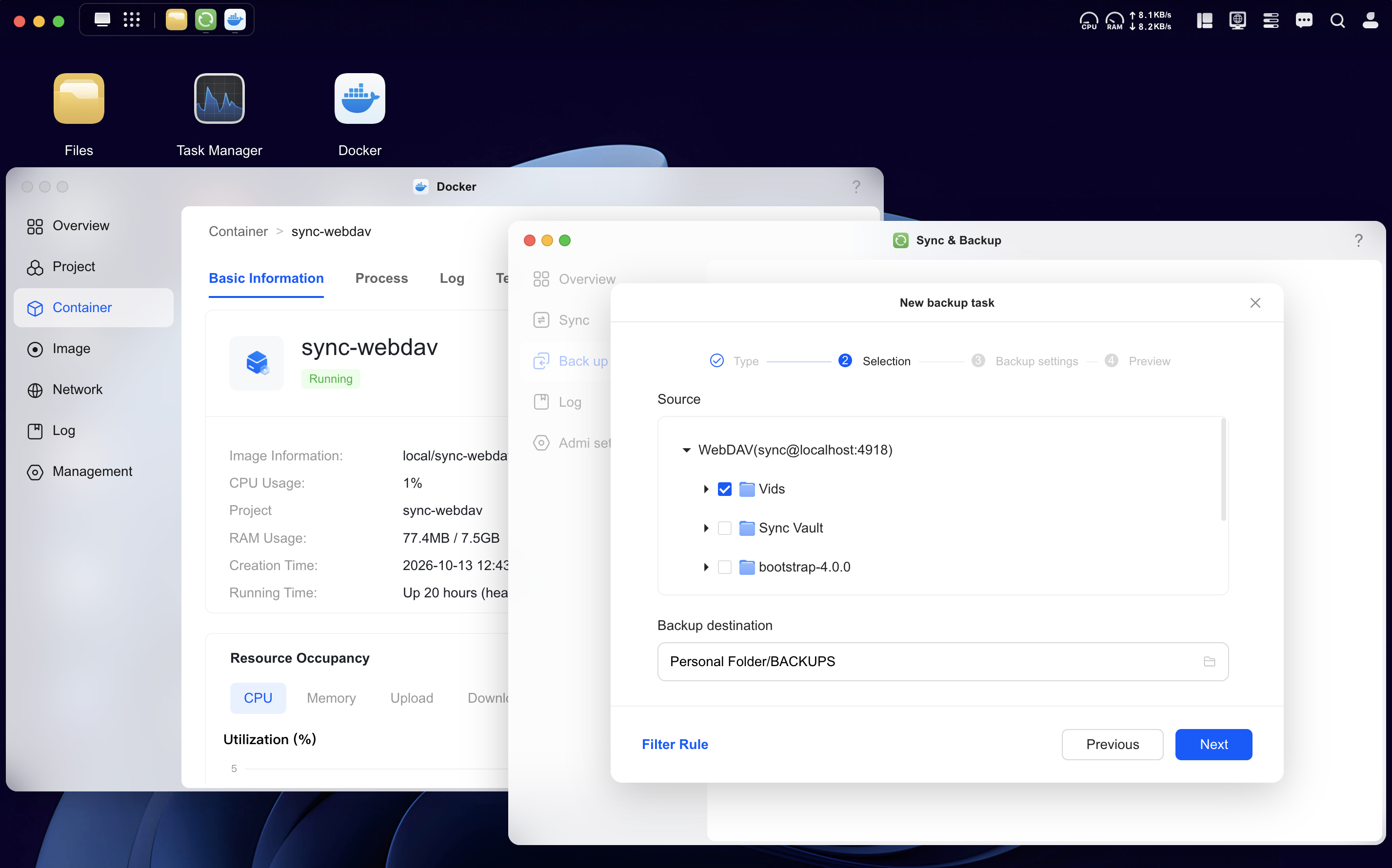
Back up your NAS to Sync for off-site protection, or keep a local copy of your Sync files on your NAS. Pictured: A UGREEN NAS backup task connected to Sync WebDAV running in Docker.
End-to-end encryption and secure defaults
Sync WebDAV provides true client-side end-to-end encryption: files are encrypted before upload and decrypted locally on the machine running the server.
By default, the server accepts connections only from your own machine through localhost. Separate WebDAV credentials, including a randomly generated password, let you connect third-party tools without sharing your Sync account password.
For power users, advanced options let you enable external connections from selected devices or networks, customize ports, and scope access to specific folders.
Give it a try today
Sync WebDAV is available on every Sync plan, including free, starting right now.
Follow our WebDAV Guide for Linux to choose your installation method and find instructions for connecting popular Linux apps and utilities.
Try it with your preferred tools, and tell us what you put together. Your feedback will help shape what comes next for Sync on Linux.
Make yourself at /home with Sync!
Update on Meltdown and Spectre

Introducing Starred Files, a Shortcut to Your Most Important Work